
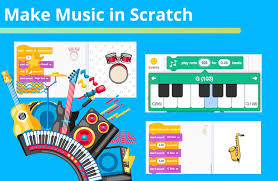
Making Music with Scratch
Scratch is a visual programming platform where users create interactive stories, games, animations, and music by connecting coding blocks. Its music tools make it easy to experiment with rhythm, melody, instruments, and sound—even without prior experience composing or programming.
How Scratch Music Works
In Scratch, sounds are controlled with blocks in the Sound category. Depending on the project and available extensions, creators can play recorded sounds or use the Music extension to build tunes with instrument, note, and tempo blocks. These blocks can be combined with events, loops, and other programming tools to decide when a sound plays and how the music changes.
For example, a script can start a tune when the green flag is clicked, repeat a short rhythm, or play a sound when a character is tapped. This connection between code and sound lets users make music that responds to actions in a game or animation.
Getting Started
- Open a Scratch project. Create a new project or choose one you want to add music to.
- Choose a sprite. Select the character or object that will play the sound. You can also use the stage for project-wide audio.
- Add sound blocks. Browse the Sound category, or add the Music extension if it is available in your Scratch editor.
- Build a short pattern. Try a few notes or sounds in sequence. Use a loop to repeat the pattern.
- Test and adjust. Change the tempo, notes, instruments, or timing until the result sounds the way you want.
Ideas for Scratch Music Projects
- An interactive piano: Make different keys play different notes when clicked or pressed.
- A rhythm game: Pair musical beats with moving objects and invite players to respond in time.
- A soundtrack: Create background music that changes between scenes in an animation or game.
- A soundboard: Let users trigger a collection of musical notes, sound effects, or recorded clips.
- A generative tune: Use loops and choices to create a melody that changes each time the project runs.
Tips for Better Results
Start with a simple idea. A short, clear rhythm is often easier to refine than a long composition. Listen to the timing between notes, and use loops to keep repeated patterns organized. If multiple sprites play sounds, test them together so the audio does not become crowded or unexpectedly overlap.
It can also help to give users control over the music. Add buttons to start or stop a tune, adjust the tempo, or switch between musical styles. For projects with spoken instructions or sound effects, keep the music at a comfortable volume so important audio remains easy to hear.
Learning Through Sound and Code
Creating music in Scratch is a playful way to explore both programming and musical ideas. Users can practice sequencing, repetition, timing, and cause and effect while developing an ear for patterns and rhythm. Whether the goal is to make a tiny melody or an interactive musical game, Scratch offers a welcoming space to experiment, revise, and share creative work.
Exploring Scratch Music: Popularity, Access, and Where to Find It
- Is Scratch music still popular?
- What is Scratch music on Spotify?
- Can you listen to music on Scratch?
- What are some songs on Scratch?
- Where can I get music for Scratch?
- Is there music on Scratch?
Is Scratch music still popular?
Yes, Scratch music remains popular, especially with students, educators, and beginners exploring creative coding. Scratch makes it easy to compose melodies, build beat-based projects, and add interactive soundtracks to games and animations without needing advanced music or programming skills. Its popularity is also supported by the active Scratch community, where creators can share projects, remix one another’s work, and discover new musical ideas.
What is Scratch music on Spotify?
“Scratch music” on Spotify usually refers to tracks, albums, or playlists that use “Scratch” in their title or are related to music made with the Scratch programming platform. It isn’t a specific Spotify genre or official category, so the results can vary. Search Spotify for a particular artist, song, or playlist to find the Scratch music you’re looking for.
Can you listen to music on Scratch?
Yes, you can listen to music on Scratch by opening and playing projects that include songs, melodies, or other audio. Scratch isn’t a music-streaming service, though; music is typically part of a project created or shared by a user. If you make a project, use audio you created yourself or have permission to use, and follow Scratch’s community guidelines.
What are some songs on Scratch?
Scratch users create and share a wide variety of music projects, from original melodies and simple loops to remixes, covers, and interactive soundboards. You may find familiar tunes recreated with notes or recordings, as well as songs made for games and animations. What’s available changes as users publish new projects, so search Scratch for a song title, artist, or terms like “music,” “cover,” or “original song.” Check each project’s description and credits, and remember that sharing or remixing copyrighted music may be subject to copyright rules.
Where can I get music for Scratch?
You can get music for Scratch from the platform’s built-in Sound Library, which includes music and sound effects you can add to a project. You can also record your own audio or upload files you have permission to use, such as original music or tracks with a license that allows reuse. Before uploading music found elsewhere, check its copyright and licensing terms; giving credit does not automatically grant permission to use it.
Is there music on Scratch?
Yes, Scratch includes music and sound features. You can add tracks and sound effects from its sound library, record or upload your own audio, or use the Music extension to create melodies and rhythms with coding blocks. Scratch projects shared by other users may also include music.