
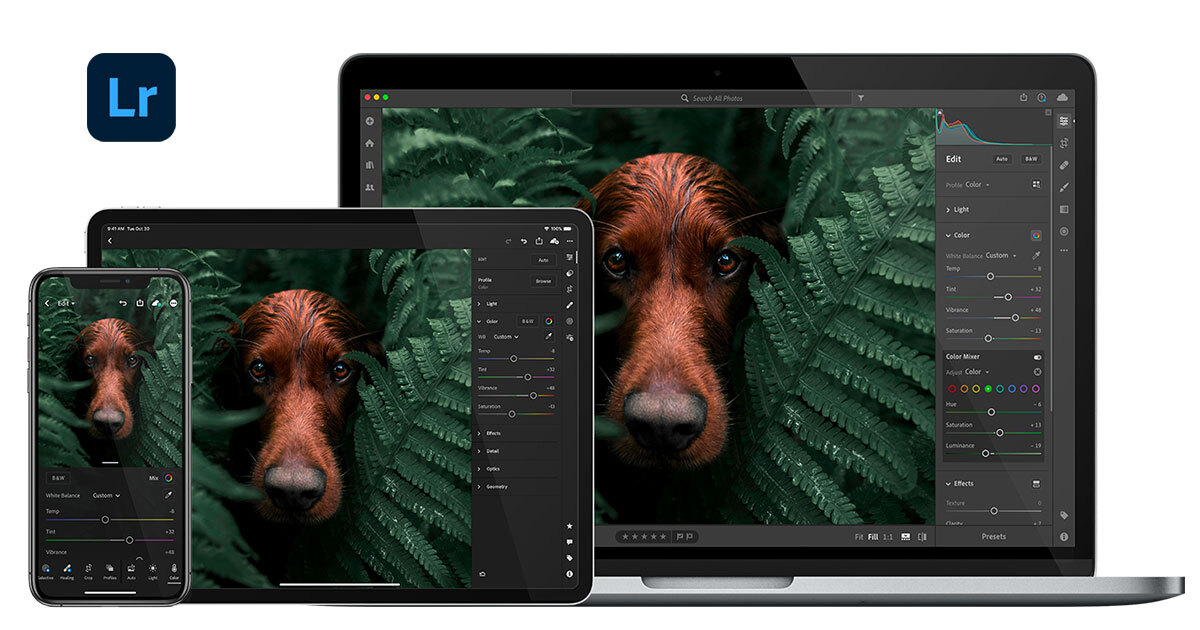
The Power of Lightroom: Transforming Your Photos
Adobe Lightroom has become a go-to tool for photographers looking to enhance and edit their images with precision and creativity. This powerful software offers a wide range of features that can take your photos from ordinary to extraordinary.
Organize and Manage Your Photos
One of the key strengths of Lightroom is its organizational capabilities. With Lightroom, you can easily import, organize, and manage your photos in a seamless workflow. The software allows you to create custom folders, add keywords, tags, and ratings to your images, making it easy to locate specific photos quickly.
Enhance Your Photos with Editing Tools
Lightroom offers a plethora of editing tools that enable you to enhance the color, tone, contrast, and overall look of your photos. From basic adjustments like exposure and white balance to advanced features like selective editing with brushes and gradients, Lightroom provides everything you need to make your images pop.
Create Stunning Effects with Presets
One of the standout features of Lightroom is its preset functionality. Presets are pre-defined settings that can be applied to your photos with just a click. Whether you want to achieve a vintage look, a moody atmosphere, or a vibrant style, there are presets available for every mood and style.
Seamless Integration with Photoshop
Lightroom seamlessly integrates with Adobe Photoshop, allowing you to move between the two programs effortlessly. You can start your editing process in Lightroom for global adjustments and then switch to Photoshop for more detailed retouching and manipulation without losing any quality in your image.
Share Your Work Easily
Once you’ve transformed your photos in Lightroom, sharing them with the world is simple. You can export your images in various formats and sizes suitable for web or print use. Additionally, you can directly share your work on social media platforms or photography websites right from within the software.
In conclusion, Adobe Lightroom is a versatile tool that empowers photographers to unleash their creativity and elevate their images to new heights. Whether you’re an amateur enthusiast or a professional photographer, Lightroom offers everything you need to bring out the best in your photos.
8 Essential Lightroom Tips for Streamlining Your Photo Editing Workflow
- Use keyboard shortcuts to speed up your workflow.
- Organize your photos using keywords and labels for easy searching.
- Experiment with different presets to find a style that suits your photos.
- Adjust white balance to correct colors and make your photos more vibrant.
- Utilize the graduated filter tool for precise adjustments in specific areas of your photo.
- Don’t overdo it with editing – sometimes less is more.
- Backup your catalog regularly to prevent data loss.
- Take advantage of tutorials and online resources to improve your editing skills.
Use keyboard shortcuts to speed up your workflow.
Utilizing keyboard shortcuts in Lightroom can significantly enhance your workflow efficiency. By memorizing and incorporating key combinations for common tasks like adjusting exposure, cropping, or switching between tools, you can save valuable time and streamline your editing process. Keyboard shortcuts allow you to navigate through Lightroom’s features seamlessly, enabling a smoother and more productive editing experience. Embracing these shortcuts can help you work more fluidly and focus on the creative aspects of enhancing your photos rather than getting bogged down by manual actions.
Organize your photos using keywords and labels for easy searching.
Organizing your photos using keywords and labels in Lightroom is a valuable tip that can significantly enhance your workflow efficiency. By assigning relevant keywords and labels to your images, you create a systematic way to categorize and search for specific photos quickly. This practice not only helps you stay organized but also streamlines the process of locating and working with your photos, saving you time and effort in the long run. With a well-structured keyword and labeling system in place, navigating through your photo library becomes a breeze, allowing you to focus more on the creative aspects of editing and enhancing your images.
Experiment with different presets to find a style that suits your photos.
Experimenting with different presets in Lightroom is a valuable tip that can help photographers discover a style that perfectly complements their photos. By trying out various preset options, photographers can quickly see how different styles and effects transform their images. Whether aiming for a vintage, modern, dramatic, or vibrant look, exploring presets allows photographers to find the perfect editing style that enhances the mood and visual impact of their photos. This experimentation process not only helps in developing a unique editing style but also opens up creative possibilities to make each photo stand out with its individual charm and character.
Adjust white balance to correct colors and make your photos more vibrant.
Adjusting white balance in Lightroom is a crucial tip for enhancing the colors and vibrancy of your photos. By fine-tuning the white balance settings, you can correct any color cast present in your images, resulting in more accurate and vibrant colors. Whether you’re looking to warm up a cool-toned image or cool down a warm-toned one, mastering white balance adjustment in Lightroom can significantly improve the overall look and feel of your photos, making them more visually appealing and true to life.
Utilize the graduated filter tool for precise adjustments in specific areas of your photo.
The graduated filter tool in Lightroom is a valuable feature that allows photographers to make precise adjustments in specific areas of their photos. By applying the graduated filter, you can control the intensity of effects such as exposure, contrast, and color temperature gradually across different parts of the image. This tool is especially useful for enhancing skies, adjusting lighting on landscapes, or creating selective vignettes to draw attention to a focal point. Mastering the graduated filter tool in Lightroom can significantly elevate the overall quality and impact of your photos by giving you more control over fine-tuning specific areas with precision.
Don’t overdo it with editing – sometimes less is more.
When working with Lightroom photo editing, it’s important to remember the mantra “less is more.” While the software offers a plethora of editing tools and effects, it’s easy to get carried away and over-edit your photos. By exercising restraint and avoiding excessive adjustments, you can maintain the natural beauty and authenticity of your images. Sometimes, a subtle touch is all it takes to enhance a photo effectively without compromising its original essence. Embracing simplicity in editing can often lead to more impactful and visually appealing results.
Backup your catalog regularly to prevent data loss.
Backing up your Lightroom catalog regularly is a crucial tip to prevent data loss and safeguard your hard work. By creating backups of your catalog, you ensure that all your edits, metadata, and organizational changes are securely saved in case of unexpected issues like hardware failure or software errors. Regular backups give you peace of mind knowing that your valuable photo library is protected and can be easily restored if needed. Remember, a little effort in backing up regularly can save you from potentially devastating data loss in the future.
Take advantage of tutorials and online resources to improve your editing skills.
To enhance your editing skills in Lightroom, it is highly beneficial to take advantage of tutorials and online resources. By exploring tutorials and guides available online, you can learn new techniques, tips, and tricks from experienced professionals that can help you master the software’s features and capabilities. These resources provide valuable insights on how to effectively edit photos, apply advanced tools, and achieve desired effects, empowering you to elevate your editing skills and create stunning images with confidence and creativity.