
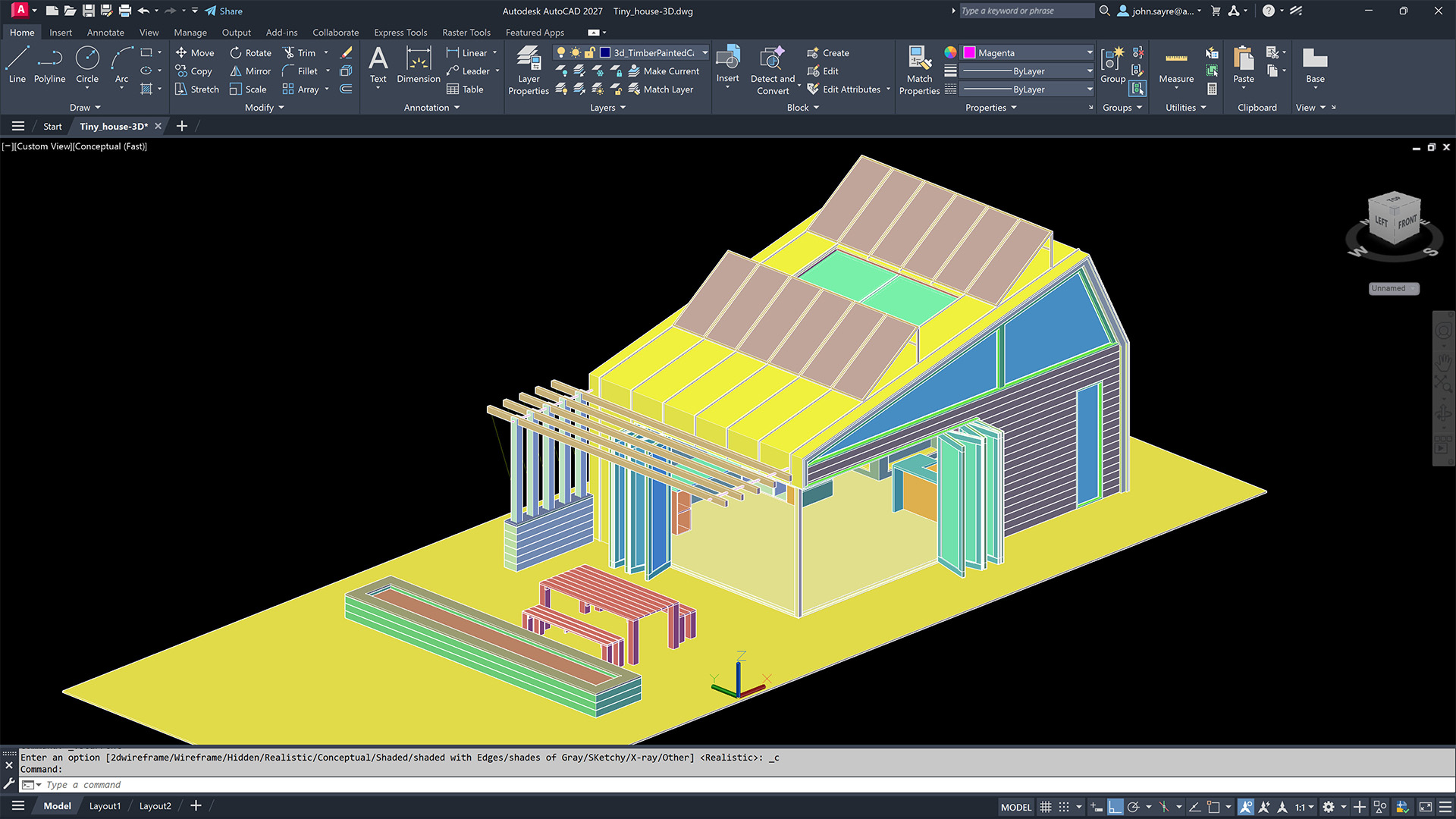
Master AutoCAD with Our Comprehensive Course
AutoCAD is a powerful software used by architects, engineers, and designers to create precise 2D and 3D drawings. If you’re looking to enhance your skills in drafting and design, our AutoCAD course is the perfect choice for you.
Our course covers everything from the basics of navigating the AutoCAD interface to advanced techniques for creating complex designs. Whether you’re a beginner or have some experience with AutoCAD, our instructors will guide you through each lesson step by step.
By enrolling in our AutoCAD course, you’ll learn how to:
- Create and edit drawings using various tools and commands
- Work with layers, dimensions, and annotations to add detail to your designs
- Generate 3D models and renderings for a more realistic representation of your projects
- Collaborate with others by sharing and presenting your drawings effectively
Upon completion of the course, you’ll have the skills and confidence to tackle any design project using AutoCAD. Whether you’re pursuing a career in architecture, engineering, or interior design, mastering AutoCAD will give you a competitive edge in the industry.
Don’t miss this opportunity to elevate your drafting and design skills. Enroll in our AutoCAD course today and take the first step towards becoming an expert CAD drafter.
8 Essential Tips for Mastering Your AutoCAD Course
- Practice regularly to improve your skills.
- Take advantage of online tutorials and resources.
- Join forums or communities to ask questions and learn from others.
- Learn keyboard shortcuts to work more efficiently.
- Understand the basic principles of CAD design.
- Experiment with different tools and features in AutoCAD.
- Don’t be afraid to make mistakes, it’s part of the learning process.
- Stay updated on new features and updates in AutoCAD.
Practice regularly to improve your skills.
To enhance your proficiency in AutoCAD, it is essential to practice regularly. By dedicating time each day to work on different design projects and experiment with various tools and commands, you can improve your skills and become more adept at using the software effectively. Consistent practice not only helps you become familiar with AutoCAD’s features but also boosts your confidence in tackling complex design tasks. Remember, practice makes perfect, so make it a habit to hone your AutoCAD skills regularly to excel in drafting and design.
Take advantage of online tutorials and resources.
To excel in your AutoCAD course, it is essential to take advantage of online tutorials and resources available. These resources can provide additional support, guidance, and practice exercises to enhance your understanding of the software. By exploring online tutorials, you can learn new techniques, tips, and shortcuts that will help you work more efficiently in AutoCAD. Additionally, accessing online resources allows you to stay updated on the latest features and developments in the software, ensuring that you are equipped with the knowledge needed to succeed in your AutoCAD course and beyond.
Join forums or communities to ask questions and learn from others.
Joining forums or communities related to AutoCAD is a valuable tip for anyone looking to enhance their skills in the software. These platforms provide a supportive environment where you can ask questions, seek advice, and learn from the experiences of other users. Engaging with a community of AutoCAD enthusiasts not only helps you troubleshoot issues more efficiently but also exposes you to different perspectives and techniques that can broaden your knowledge and improve your proficiency in using the software. By actively participating in forums or communities, you can stay updated on industry trends, discover new tips and tricks, and build connections with like-minded individuals who share your passion for AutoCAD.
Learn keyboard shortcuts to work more efficiently.
Learning keyboard shortcuts is a valuable tip for maximizing efficiency in an AutoCAD course. By familiarizing yourself with key combinations to perform common tasks quickly, you can significantly speed up your workflow and save time navigating through the software. Mastering keyboard shortcuts not only enhances your productivity but also helps you focus on the creative aspects of your designs rather than getting bogged down by repetitive actions. Incorporating these time-saving techniques into your AutoCAD practice will undoubtedly boost your proficiency and effectiveness in managing complex projects with ease.
Understand the basic principles of CAD design.
Understanding the basic principles of CAD design is essential for mastering AutoCAD. By grasping concepts such as precision, scale, layers, and geometric constraints, you’ll be able to create accurate and efficient drawings in the software. These foundational principles serve as the building blocks for more complex designs and help you work effectively within the CAD environment. With a solid understanding of CAD design basics, you’ll be better equipped to unleash your creativity and produce high-quality drawings that meet industry standards.
Experiment with different tools and features in AutoCAD.
To make the most of your AutoCAD course, it’s essential to experiment with different tools and features available in the software. By exploring various functions within AutoCAD, you’ll not only expand your knowledge but also discover new ways to enhance your design capabilities. Don’t be afraid to try out different tools and features – experimentation is key to unlocking the full potential of AutoCAD and sharpening your drafting skills.
Don’t be afraid to make mistakes, it’s part of the learning process.
In the AutoCAD course, it’s important to remember that making mistakes is a natural part of the learning process. Don’t be afraid to experiment and try new techniques, as each mistake provides an opportunity to learn and improve your skills. Embrace challenges, seek feedback, and use mistakes as stepping stones towards mastering AutoCAD. With a positive attitude towards errors, you’ll not only enhance your understanding of the software but also grow as a confident and capable designer.
Stay updated on new features and updates in AutoCAD.
To excel in your AutoCAD course and stay ahead in the field of drafting and design, it is essential to stay updated on new features and updates in AutoCAD. By keeping yourself informed about the latest tools, enhancements, and functionalities in the software, you can leverage these advancements to improve your workflow, increase efficiency, and produce higher-quality designs. Continuous learning and adaptation to new features will not only enhance your skills but also demonstrate your commitment to professional growth and excellence in the use of AutoCAD.